Initial Settings
This page collects the information used to create the primary Administrator (AKA Webmaster) account.
After entering the requested information and correcting any issues, select the “Continue” button to proceed.
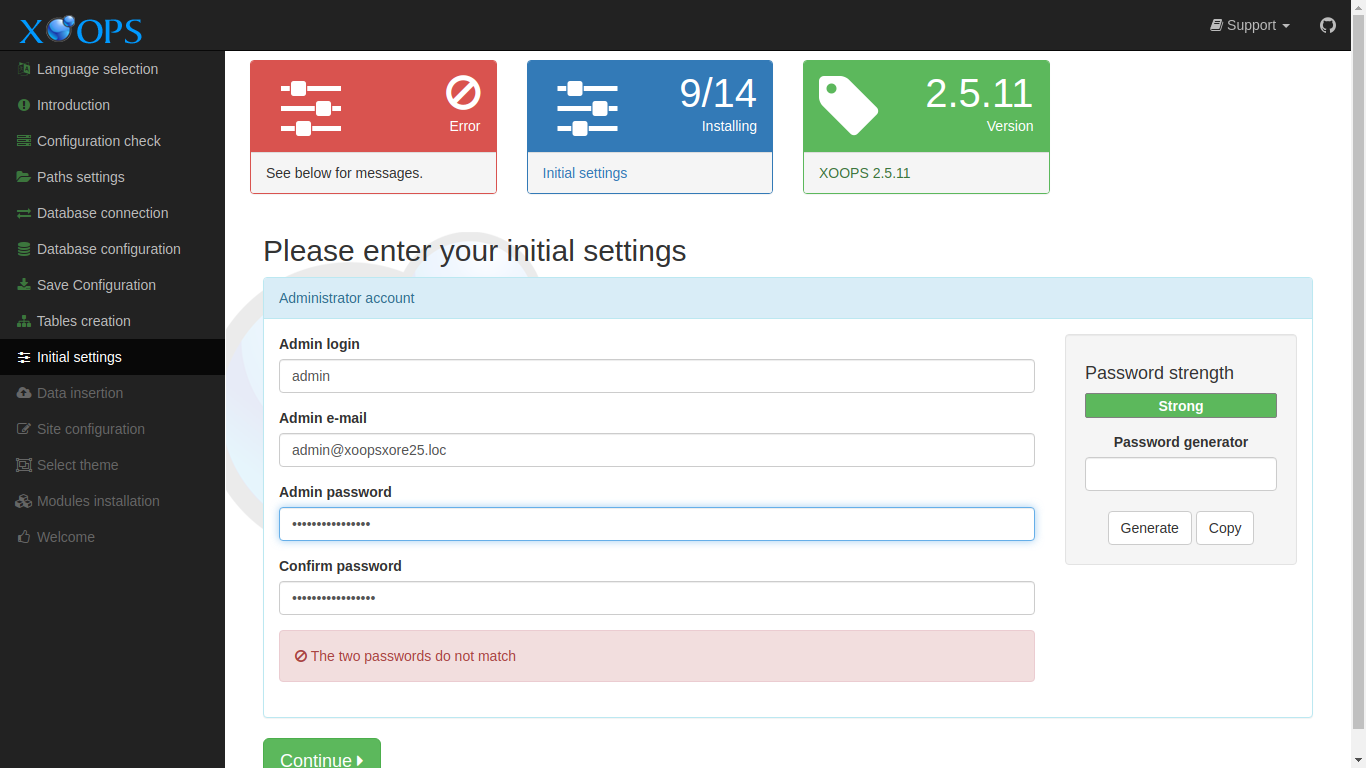
Data Collected in This Step
Section titled “Data Collected in This Step”Administrator account
Section titled “Administrator account”Admin login
Section titled “Admin login”This will be the username used by the adminstrator to log in to the XOOPS system.
Admin e-mail
Section titled “Admin e-mail”This the email address used by the XOOPS system to communicate with the administrator. (Note, this is required for password recovery/reset.)
Admin password
Section titled “Admin password”This is the password to use for the adminstrator account,
Confirm password
Section titled “Confirm password”Use this field to confirm the adminstrator password. It must match the Admin password field.
Password strength
Section titled “Password strength”This section displays the relative strenght of the Admin password.
Password Generator
Section titled “Password Generator”You can use this section to generate and use a random password for the account. Select Generate to show a random password. Select Copy to copy the generated password to Admin password.