Database Configuration
This page collects the information about the database that XOOPS will use.
After entering the requested information and correcting any issues, select the “Continue” button to proceed.
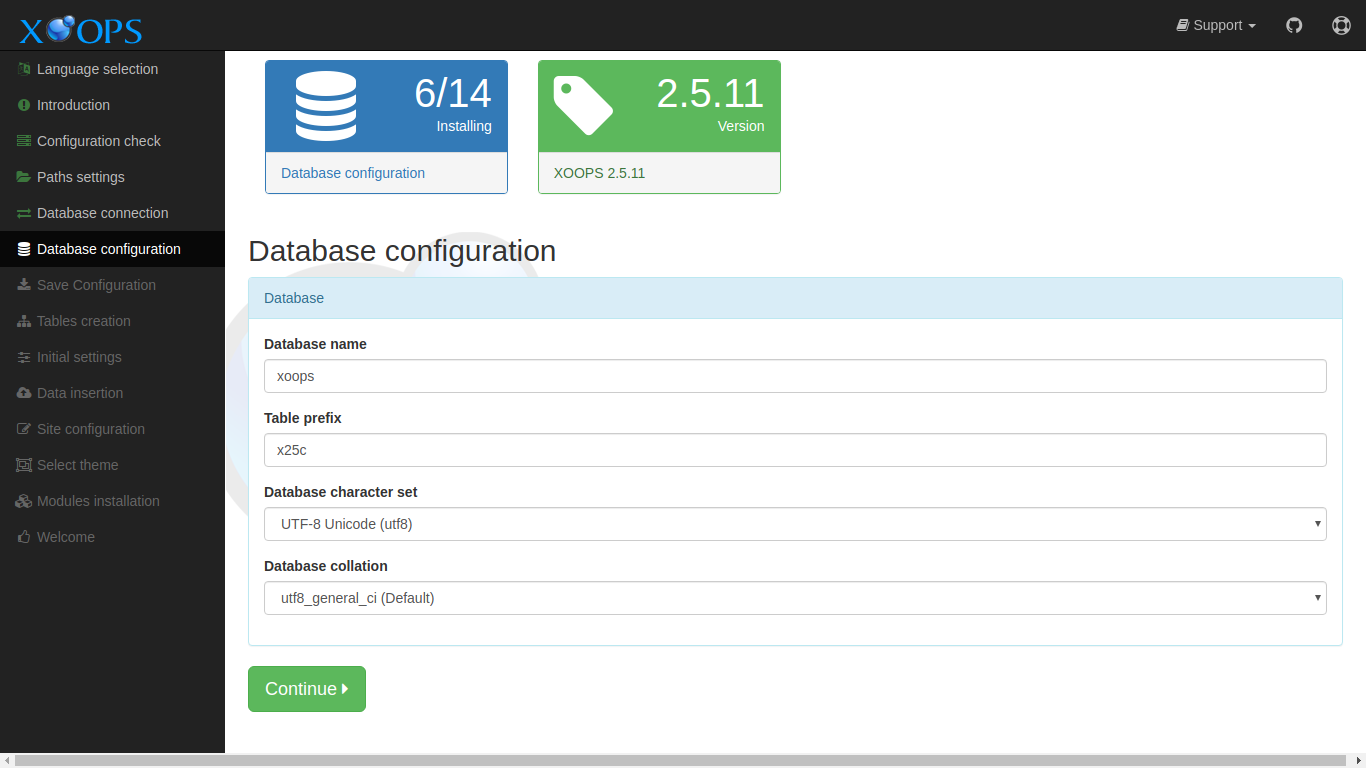
Data Collected in This Step
Section titled “Data Collected in This Step”Database
Section titled “Database”Database name
Section titled “Database name”The name of database on the host that XOOPS should use. The database user entered in the previous step should have all privileges on this database. The installer will attempt to create this database if does not exist.
Table prefix
Section titled “Table prefix”This prefix will be added to the names of all new tables created by XOOPS. This helps avoid name conflicts if the database is shared with other applications. A unique prefix also makes is more difficult to guess table names, which has security benefits. If you are unsure, just keep the default
Database character set
Section titled “Database character set”The installer defaults to utf8mb4, which supports the full Unicode range including emoji and supplementary characters. You can select a different character set here, but utf8mb4 is recommended for virtually all languages and locales and should be left as-is unless you have a specific reason to change it.
Database collation
Section titled “Database collation”The collation field is left blank by default. When blank, MySQL applies the default collation for whichever character set was selected above (for utf8mb4 this is typically utf8mb4_general_ci or utf8mb4_0900_ai_ci, depending on the MySQL version). If you need a specific collation — for example to match an existing database — select it here. Otherwise, leaving it blank is the recommended choice.