Save Configuration
This page displays the results of saving the configuration information you have entered up to this point.
After reviewing and correcting any issues, select the “Continue” button to proceed.
On Success
Section titled “On Success”The Saving your system configuration section shows the information that was saved. The settings are saved in one of two files. One file is mainfile.php in the web root. The other is data/secure.php in the xoops_data directory.
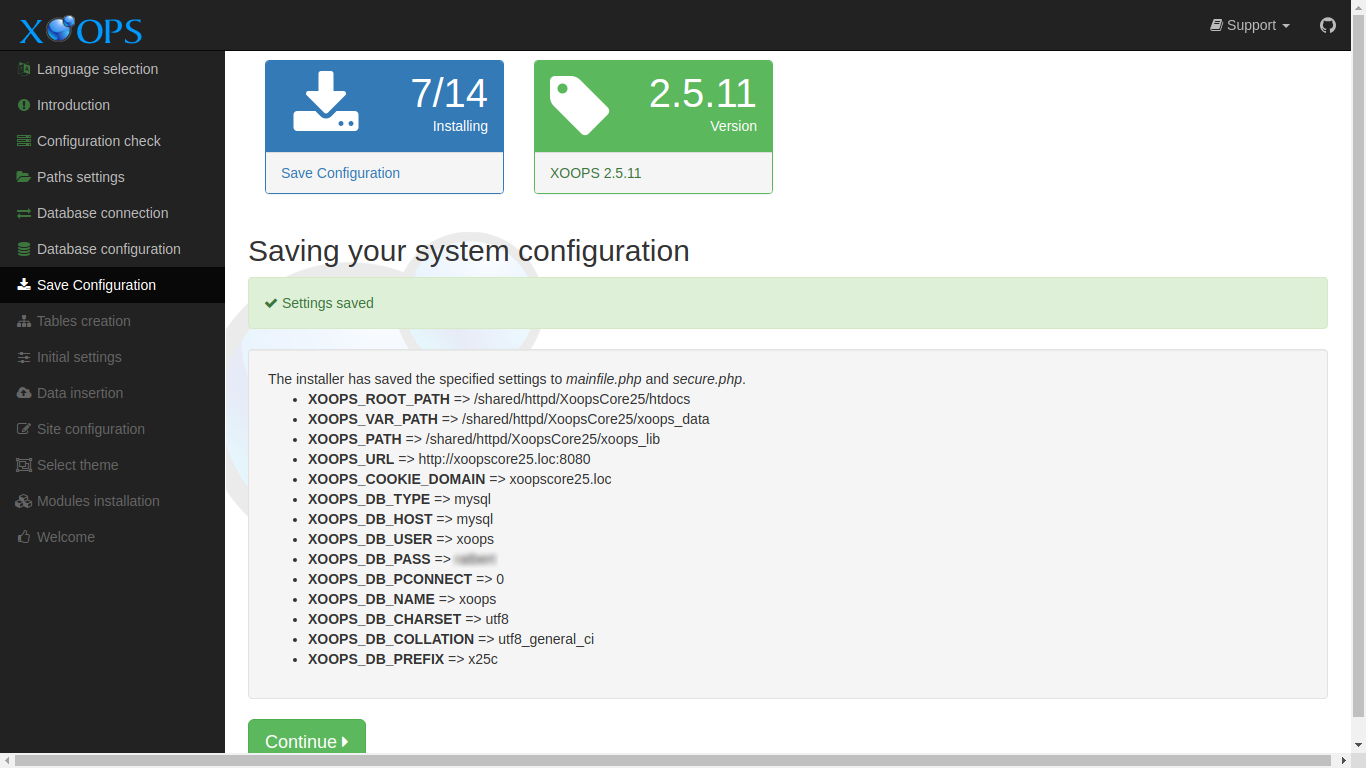
Both files are generated from template files shipped with XOOPS 2.7.0:
mainfile.phpis generated frommainfile.dist.phpin the web root.xoops_data/data/secure.phpis generated fromxoops_data/data/secure.dist.php.
In addition to the paths and URL you entered, mainfile.php now includes several constants that are new in XOOPS 2.7.0:
XOOPS_TRUST_PATH— kept as a backwards-compatible alias ofXOOPS_PATH; you do not need to configure it separately.XOOPS_COOKIE_DOMAIN_USE_PSL— defaults totrue; uses the Public Suffix List to derive the correct cookie domain.XOOPS_DB_LEGACY_LOG— defaults tofalse; set totruein development to log use of legacy database APIs.XOOPS_DEBUG— defaults tofalse; set totruein development to enable additional error reporting.
You do not need to edit these by hand during installation — the defaults are appropriate for a production site. They are mentioned here so you know what to look for if you open mainfile.php later.
Errors
Section titled “Errors”If XOOPS detects errors in writing the configuration files, it will display messages, detailing what is wrong.
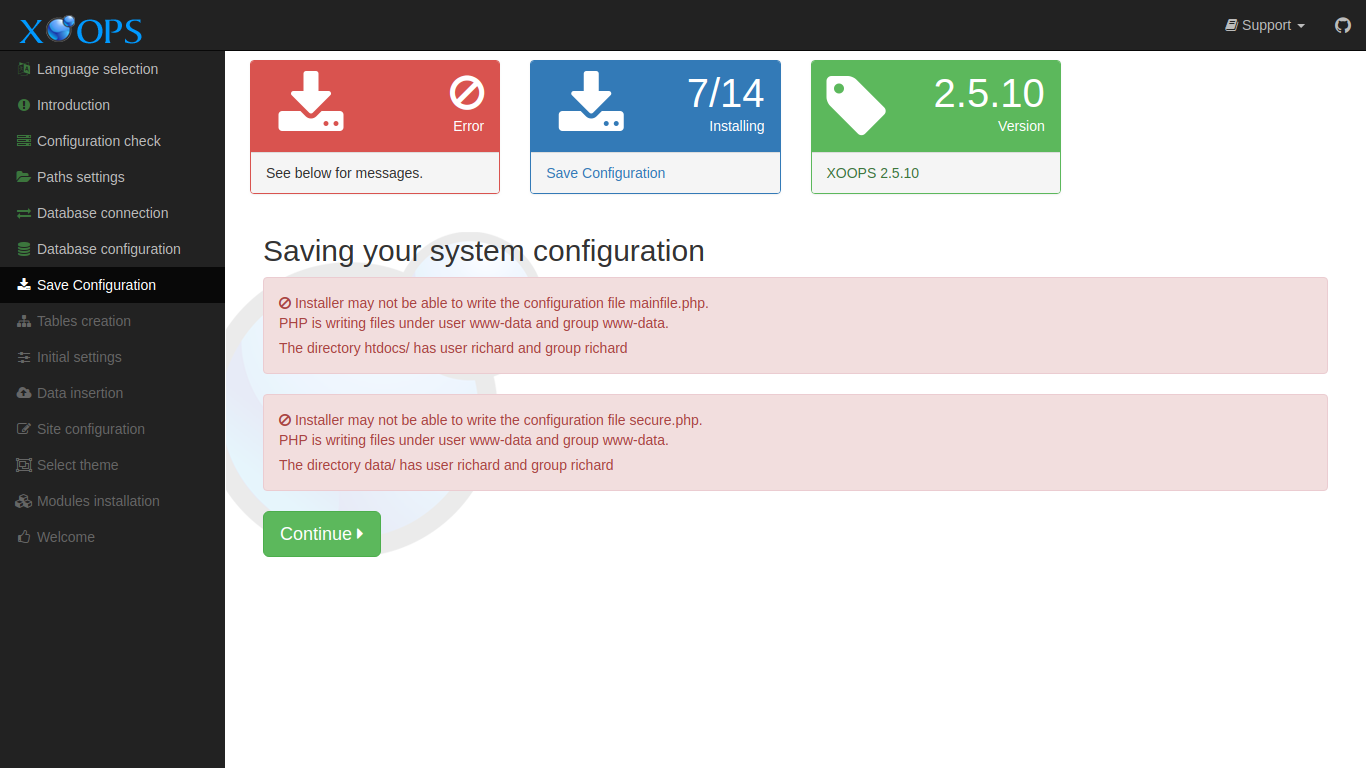
In many cases, a default install of a Debian-derived system using mod_php in Apache is the source of errors. Most hosting providers have configurations that do not have these issues.
Group permission issues
Section titled “Group permission issues”The PHP process is run using the permissions of some user. Files are also owned by some user. If these two are not the same user, group permissions can be used to allow the PHP process to share files with your user account. This usually mean you need to change the group of the files and directories XOOPS needs to write to.
For the default configuration mentioned above this means the www-data group needs to be specified as the group for the files and directories, and those files and directories need to be writable by group.
You should review you configuration carefully, and carefully choose how to resolve these issues for a box available on the open internet.
Example commands could be:
chgrp -R www-data xoops_datachmod -R g+w xoops_datachgrp -R www-data uploadschmod -R g+w uploadsCannot create mainfile.php
Section titled “Cannot create mainfile.php”In Unix-like systems, the permission to create a new file depends on permissions granted on the parent folder. In some cases that permission is not available, and granting it may be a security concern.
If you have a problem configuration, you can find a dummy mainfile.php in the extras directory in the XOOPS distribution. Copy that file into the web root and set the permissions on the file:
chgrp www-data mainfile.phpchmod g+w mainfile.phpSELinux Environments
Section titled “SELinux Environments”SELinux security contexts can be a source of problems. If this might apply, please refer to Special Topics for more information.