Troubleshooting
Smarty 4 Template Errors
Section titled “Smarty 4 Template Errors”The most common class of problems when upgrading from XOOPS 2.5.x to 2.7.0 is Smarty 4 template incompatibility. If you skipped or did not complete the Preflight Check, you may see template errors on the front end or in the admin area after the upgrade.
To recover:
- Re-run the preflight scanner at
/upgrade/preflight.php. Apply any automatic repairs it offers, or fix flagged templates manually. - Clear the compiled template cache. Remove everything except
index.htmlfromxoops_data/caches/smarty_compile/. Smarty 3 compiled templates are not compatible with Smarty 4 and stale files can cause confusing errors. - Switch to a shipped theme temporarily. From the admin area, select
xbootstrap5ordefaultas the active theme. This will confirm whether the problem is limited to a custom theme or is site-wide. - Validate any custom themes and module templates before switching production traffic back on. Pay particular attention to templates that use
{php}blocks, deprecated modifiers, or non-standard delimiter syntax — these are the most common Smarty 4 breakages.
See also the Smarty 4 section in Special Topics.
Permission Issues
Section titled “Permission Issues”The XOOPS Upgrade may need to write to files that have previously been made read-only. If this is the case, you will see a message like this:
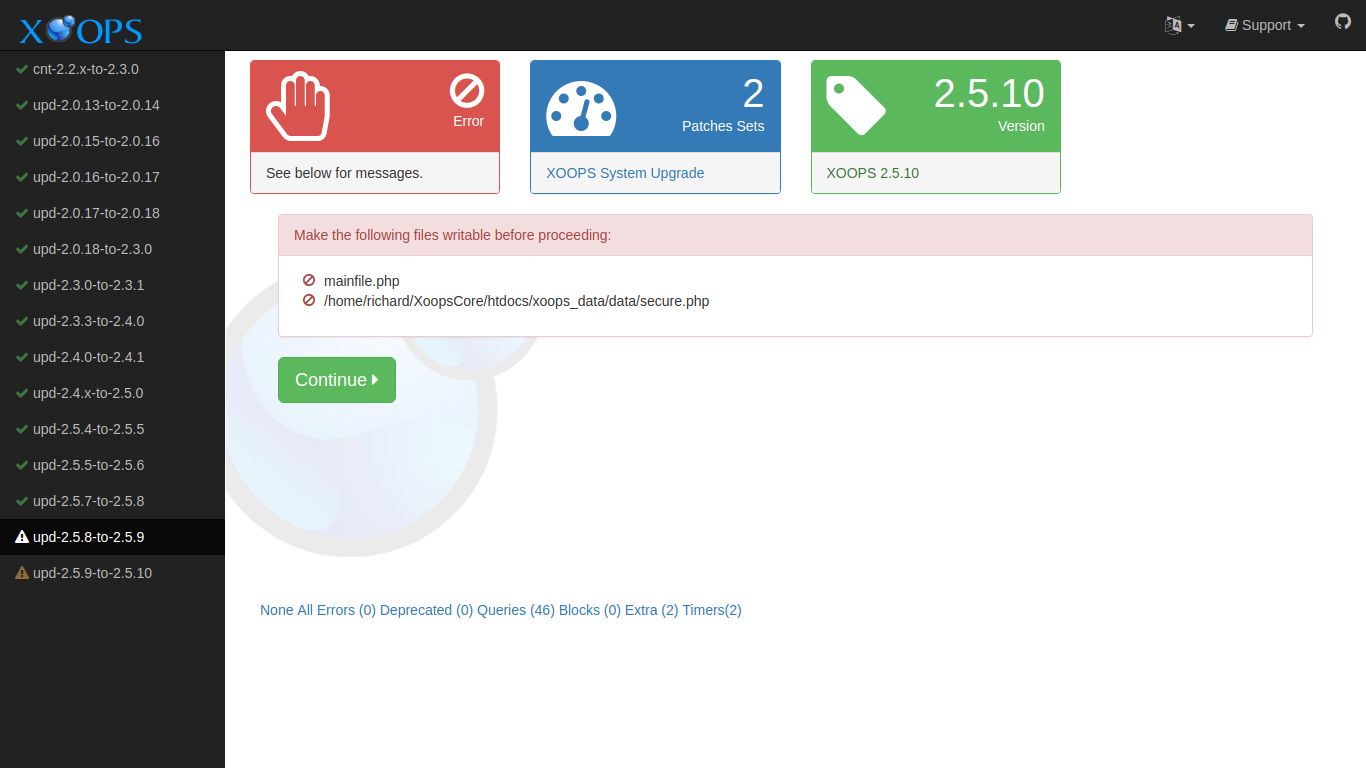
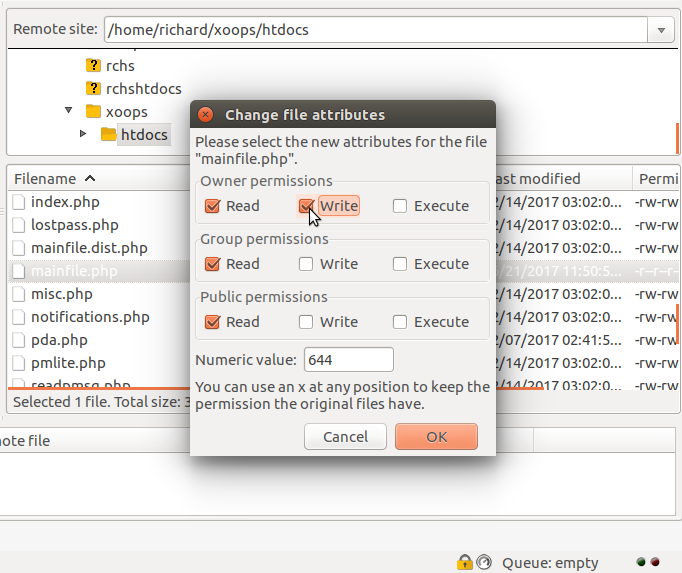
The solution is to change the permissions. You can change permissions using FTP if you do not have more direct access. Here is an example using FileZilla:
Debugging Output
Section titled “Debugging Output”You can enable extra debugging output in the logger by adding a debug parameter to the URL used to launch the Upgrade:
http://example.com/upgrade/?debug=1